AI Rap Generator
Put you and a friend in a rap music video. Add two portraits or one photo together, choose a stage, and give your duo a story to rap about.
Create an AI Rap Video Worth Sharing
Turn your photos and a short story into a rap duo performance with generated vocals and music. Pick a stage and make a personal video for a celebration, a friendly roast or a message to someone close.
 Best Friends
 Birthday
 Couple
 Siblings
What Does This AI Rap Video Generator Make?
This AI rap generator turns photos of two people into a short rap performance with generated vocals, music and movement. You provide the faces and, if you want, a topic. The performance brings the pair into a shared scene, so the result is a video you can watch and listen to together.
A friend does not have to be standing beside you or even live in the same city. Separate portraits work, as does one photo containing both of you. Use the clip for a birthday surprise, a group chat joke, an anniversary message or a small celebration. You can create from this page without recording a performance or assembling a video timeline.
How to Generate a Rap with AI
Start with the workbench above. The photo, stage and story controls define the performance; video settings let you choose the output that fits how you plan to share it.
- Add the two performers. Choose two separate portraits or switch to one photo together. With separate photos, Person 1 takes the left position and Person 2 the right. With a shared photo, roles follow the people’s positions in that photo. Check the crop before continuing.
- Pick a stage. Choose Hotel Lobby, Studio Booth, Street Cypher or City Rooftop. This sets the scene and lighting direction for your duo.
- Add a story or topic. Use a starter such as Birthday, Friends or Couple, then add a name and one detail that makes the message personal. The story is optional; you can leave it blank for a general rap performance.
- Choose the video settings. Open the settings to select a model, duration, resolution and aspect ratio. Check the credit amount displayed for your selection. Available settings depend on the model you choose.
- Generate, listen and share. Sign in when prompted and submit your selected photos. Once the video is ready, watch the whole performance with sound. Review both faces and the words before downloading a full video to send or post.
Rap Topic Ideas That Feel Personal
One clear idea is easier to communicate than a list of unrelated stories. Write who the rap is for, the occasion and one recognizable detail. These examples fit the optional story field; they suggest a subject rather than promise exact lyrics.
- Birthday rap video: “Happy birthday to Jordan, turning 30 and still burning the toast.”
- Best friends: “Best friends since kindergarten, still arguing about who gets the aux cable.”
- Couples and anniversaries: “Our first date got rained out, and we have been laughing about it for five years.”
- A friendly roast: “My brother is always late, except when someone mentions pizza.”
- Coworkers: “Thank you to Priya, the teammate who keeps our meetings and our printer running.”
- Graduation: “We survived the late-night study sessions, and now we are graduating together.”
Keep the story short enough to fit the clip. A name, one event and one playful detail give it a clear direction. Avoid private information or jokes the people pictured would not want shared. If you want a specific sentence included, review the generated audio: a topic guides the rap but does not lock the wording.
Create a Rap Video from Photos of Both People
The photos are identity references, so choose images where each person is easy to recognize. You do not need matching backgrounds or a photo taken on the same day. Clear facial detail matters more than a complicated setting.
- Show the faces clearly. Use sharp photos with even light. Heavy shadows, sunglasses, hands over the face and strong beauty filters make it harder to read the features you want in the result.
- Keep the crop useful. Include both faces in a shared photo, or one clear person in each portrait slot. Preview the crop so a forehead, chin or the second performer is not accidentally cut away.
- Check who goes where. Keep the left and right roles intentional. If a shared photo is crowded or the people overlap, use separate portraits to make the two references clearer.
Photos guide the performers’ appearance; they do not guarantee an identical face in every frame. Review the moving result, especially when either person turns their head. Use photos you own or have permission to use, and ask before sharing someone else’s likeness.
Choose a Stage for Your Rap Duo
The stage changes the visual atmosphere while the duo remains the focus. Choose the setting that fits the story, rather than trying to describe a completely new scene in the topic field.
- Hotel Lobby. Warm amber lighting and an elegant lobby give a birthday or celebration clip a polished performance setting.
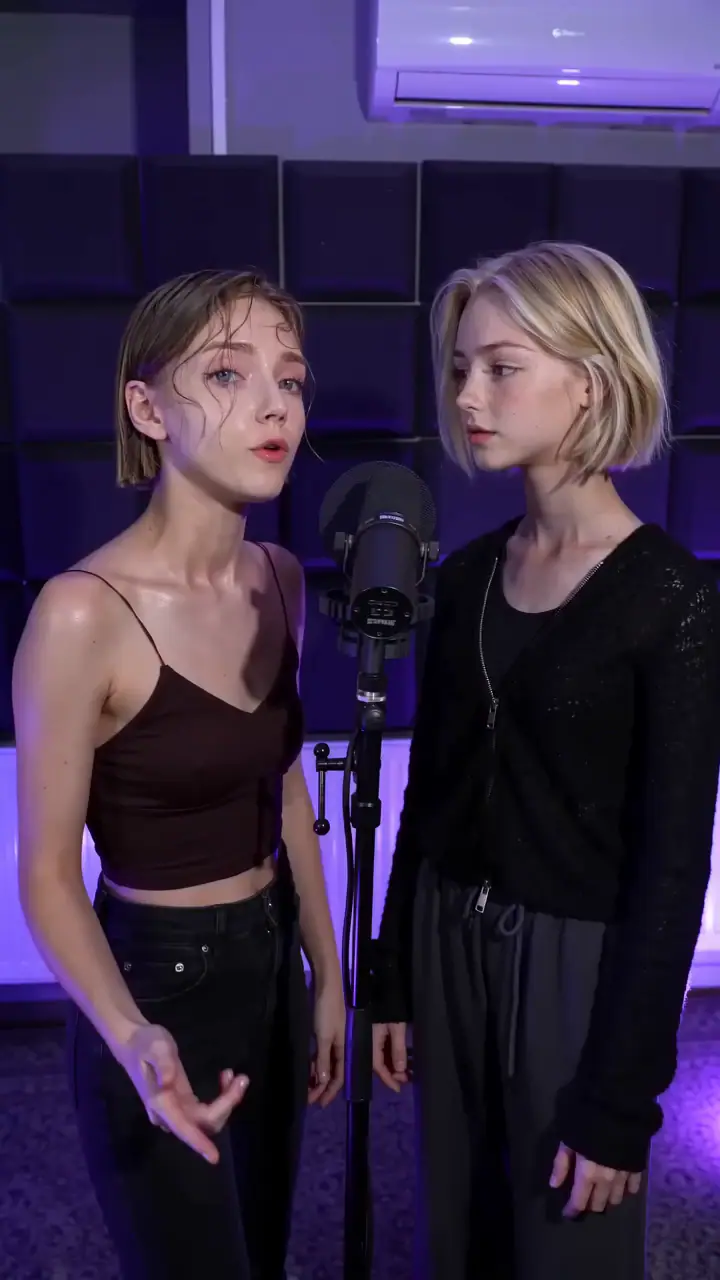
- Studio Booth. A recording studio direction with acoustic panels, microphones and moody violet light puts the focus on the performers.
- Street Cypher. An urban street-session direction with textured concrete and cool blue lighting suits an energetic duo or playful roast.
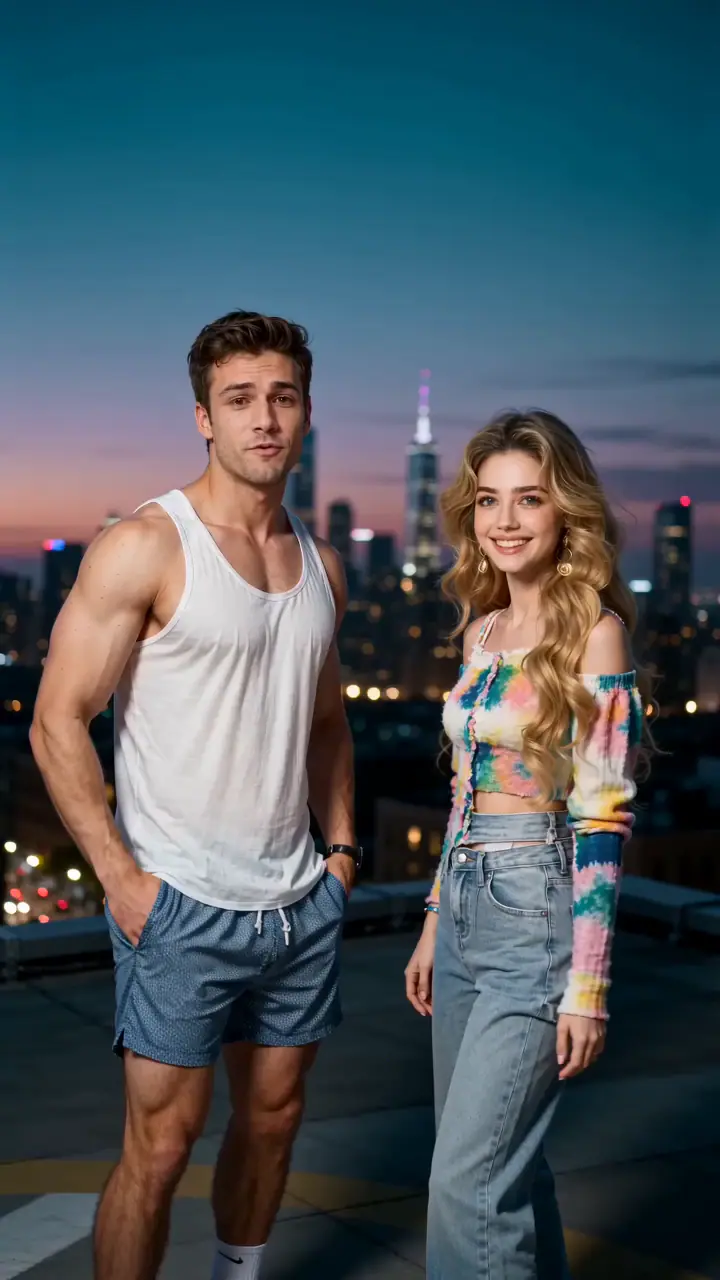
- City Rooftop. A city skyline and teal twilight give an anniversary, reunion or friendship clip a cinematic outdoor direction.
For more about the lobby performance style, explore our Hotel Lobby AI generator. You can keep creating here with the same shared workbench.
Choose the Length and Shape of Your Rap Video
Plan for a short performance moment: a greeting, a punchline or a quick exchange between two people. The duration choices shown in the workbench depend on the selected model. A short story gives the clip room to stay focused.
- Vertical video (9:16). A useful starting point for TikTok, Instagram Reels and YouTube Shorts, where the two performers need to read clearly on a phone.
- Square video (1:1). An option for a compact social post or message where a square frame suits the presentation.
- Widescreen video (16:9). Choose a wider frame for landscape playback or to include the performance in a longer edit.
Resolution and model choices change the output settings and the required credits. Choose for the screen where the clip will be watched, and check the quote after changing settings. Higher resolution gives you more output pixels; it does not guarantee better facial likeness or more accurate words.
Compare rap video credit packs and pricing before choosing a pack. The workbench quote reflects the settings you actually select.
AI Rap Lyrics Generator or Rap Video Generator?
An AI rap lyrics generator helps you draft written bars. A rap song generator makes an audio track. This page is built for a different final result: two people from your photos performing in a short video with generated rap audio. Your optional story gives the rap a subject without requiring you to write a complete verse.
The story field is a topic prompt, not a lyrics editor. It does not promise to perform pasted lyrics word for word, clone either person’s voice or reproduce a particular artist’s recording. The generated voices and soundtrack can vary. Choose this workflow when the shared performance matters; use a dedicated writing or music workflow if you need exact verses, a full song or separate audio stems.
What Makes a Good AI Rap Music Video?
A successful personal clip has recognizable performers, one clear story and audio that makes sense with the scene. Review the complete video instead of judging it from a single paused frame.
- Watch both performers. Check facial detail, expressions and left/right roles through movement. Look for changes that make either person difficult to recognize.
- Listen to the whole rap. Make sure the wording fits the occasion and the music is audible. Mouth movement, timing and pronunciation can vary; listen before sharing a birthday message or personal joke.
- Check the sharing context. Keep the joke friendly and make it clear that this is an AI-created performance. Add your caption after downloading the full video, and get permission from both people before posting publicly.
AI Rap Generator FAQ
Answers about photos, stories, generated audio, credits and sharing your finished clip.
Put Your Duo in the Next Rap Video
Choose your two performers, add a story and pick a stage. Make a rap clip for the people who will get the joke.